
Janitor
Sort, search and connect your board by meaning. Cluster sticky notes into labelled groups, search in any language, and find duplicate ideas.

Janitor
Turn a wall of sticky notes into clear themes, in one click.
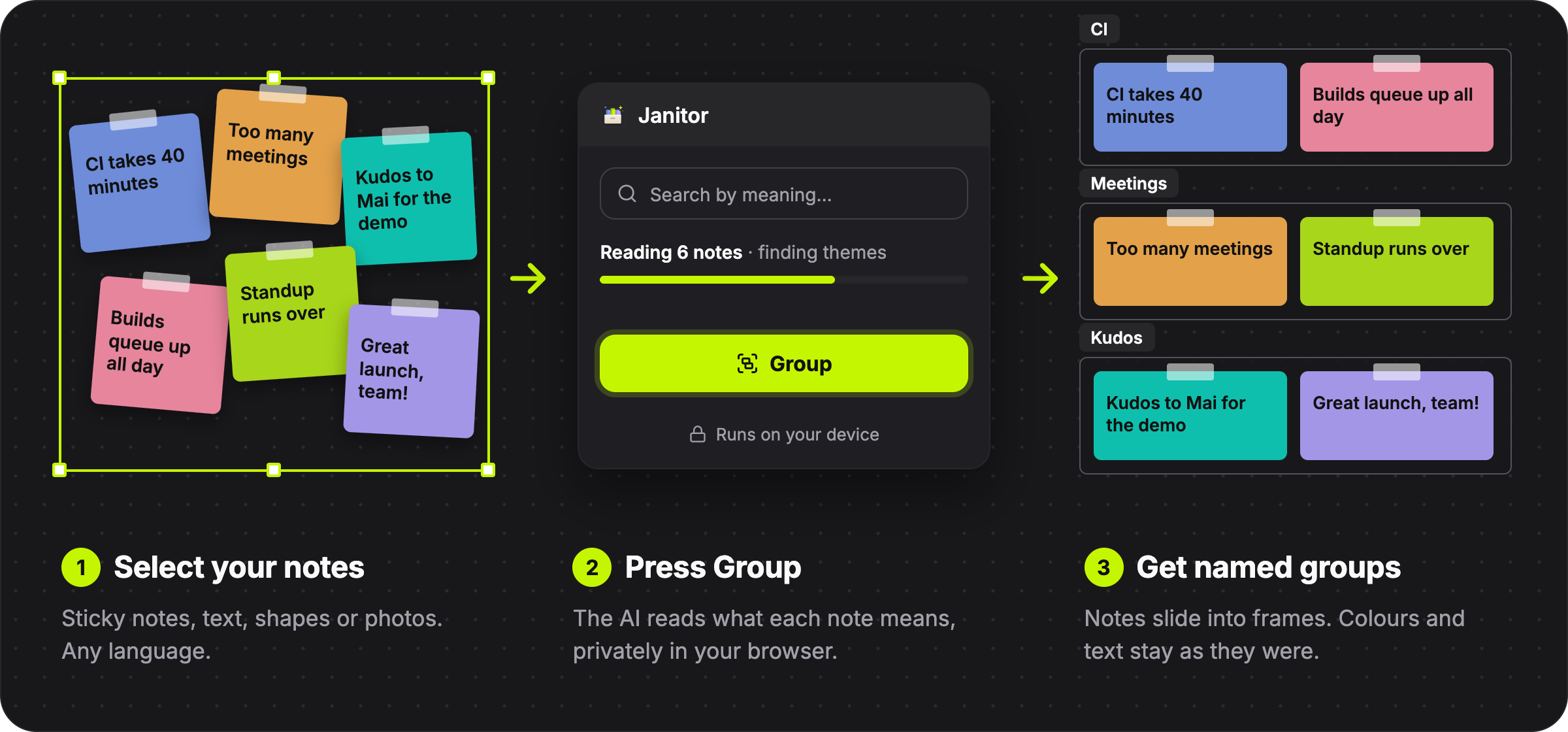
Janitor groups your notes by what they mean, finds notes by meaning, and spots the ones that say the same thing. It runs privately on your device, so your notes never leave your browser.
How it works
Made for
- Retrospectives: sort the pile of "what went well, what didn't" into themes before the discussion starts.
- Brainstorms and workshops: see which ideas belong together, and merge the ones that repeat.
- User research and feedback: turn interview notes or survey answers into an affinity map in seconds.
- Mood boards: group photos by what they show, next to your notes.
What it does
Group
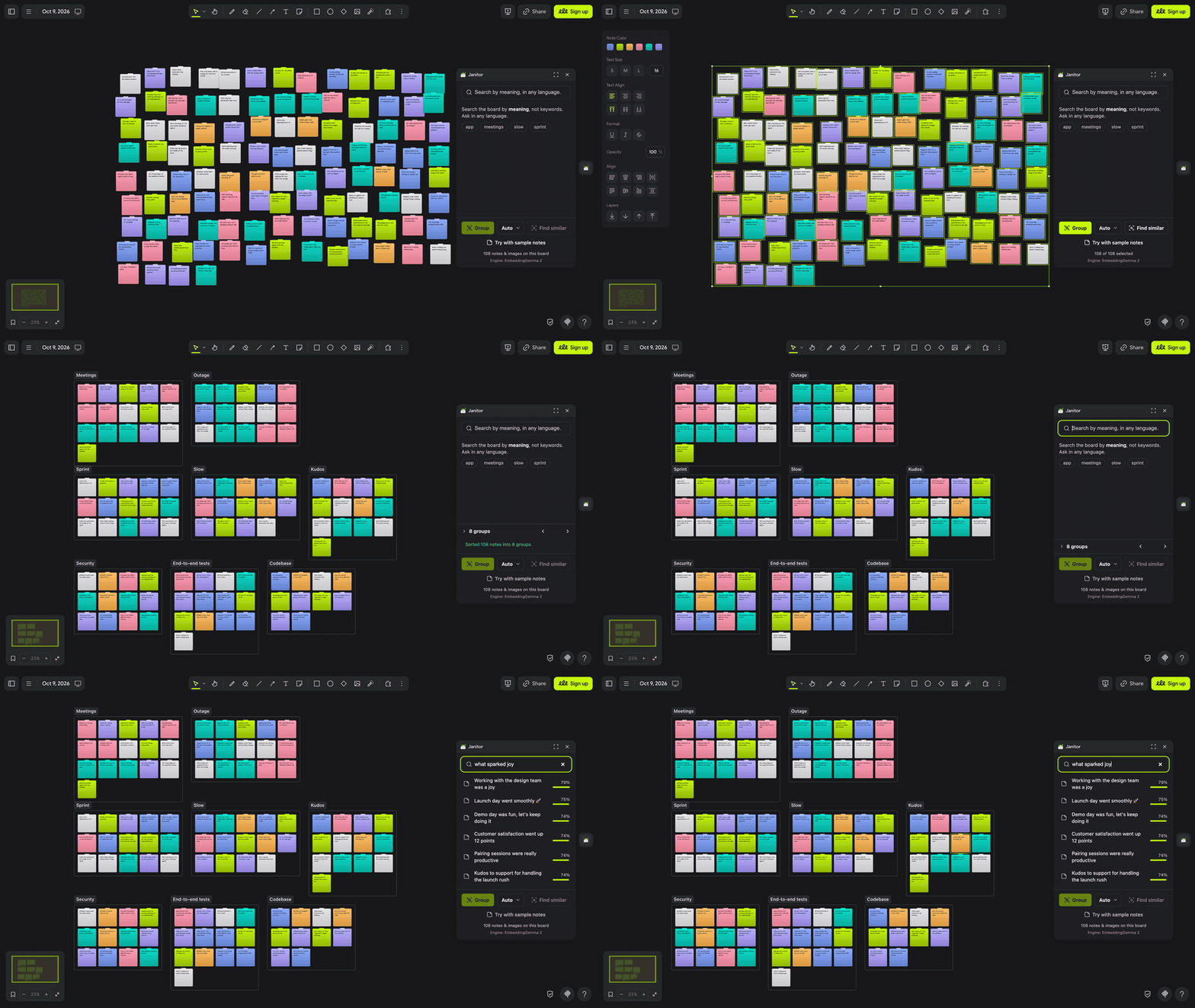
Select your notes and press Group. They slide into frames, one per theme, and each group is named after what its notes say. Only their place changes: every note keeps its colour and text. Sticky notes, text, shapes and photos can all be grouped together.
Not quite right? Choose how many groups you want, or press Undo.
Search
Type what you're looking for, in your own words. "who deserves thanks" finds the kudos notes, even though none of them says "thanks". It works in any language. The suggested searches come from the topics your notes mention most.
Find similar
Select a note and press Find similar to select every note that says the same thing. Handy for cleaning up duplicates after a brainstorm.
Getting started
- Click the Janitor button, the tidy box on the right edge of the board.
- The first time, Janitor asks to download its AI model (about 235 MB). This happens once; after that it opens right away.
- On an empty board, press Try with sample notes for a messy 108-note retro, then Group.
You can also right-click a selection and choose Extension → Janitor.
Good to know
- Fastest in an up-to-date Chrome, Edge or Safari. Other browsers work, but more slowly.
- Each group's name shows on its frame and in the Janitor panel.
- Groups up to 1,000 notes at a time.
- To group photos, Janitor will download about 109 MB more for the engine.
Permissions
- Board: to read your notes and move them into groups.
- Interface: to show its panel, button and menu.
- Storage: to keep the model on your device, so it downloads only once.
Credits
Powered by EmbeddingGemma 2 by Google DeepMind. Building or curious how it works? See the developer guide.
MIT licensed.