Your team. Your AI. One whiteboard.


Connect your AI over MCP and it draws along with your team on the same board. Install extensions, or build your own for what you need.


Made for every
way {you} work
The canvas ships today. Extensions build on the same API, your AI connects over MCP, and the next layer can be yours: tell us what you’d build.
Draw it out with your AI.
Your AI reads what’s on the board, then draws diagrams, flows and slides while your team watches them appear. It works on cloud boards: three on the free plan, unlimited on Pro.
- 1
Hand your AI the link
Paste the prompt below into Claude Code, Codex or VS Code. On Claude, add Drawdy as a connector; on ChatGPT, as a plugin.
- 2
Sign in to Drawdy
Approve access in your browser. Your AI never sees your password.
- 3
Start drawing together
Ask for a diagram, a flow or slides, and everyone on the board watches it appear.
Set up the Drawdy MCP server for me by following https://drawdy.io/mcp
Every app, step by step: read the MCP setup guide.

Extension marketplace
Missing a feature? Your AI can build it
Hand the extension docs to a coding agent like Claude Code or Codex. It writes the extension in a public GitHub repository and adds it to your boards as a private extension, with no review to wait for. Listing it in the marketplace goes through review first. Extensions can draw on the board, add tools and menus, open full panels and react to everything your team does. Presentation mode ships as an extension too, and every extension in the marketplace runs on the same API.
Browse the extension marketplaceThe whiteboard
Everything you expect from a whiteboard, and more
Go back to any version
Cloud boards save versions as you edit, and each one shows who changed it, including edits your AI made over MCP. Restore any version from the last 14 days, on the free plan too.
Hand-drawn canvas
Draw rough, pause, and a clean shape comes back. Your original stroke is one undo away.
Live collaboration
Everyone draws on the same board at once. Guests join from a link, no account needed.
120 fps with 10,000 elements
On the same 10,000-element board, Drawdy pans at 120 fps. Excalidraw manages 10 and tldraw 11. See the benchmark.
Local-first
Boards live on your device and work offline. Cloud sync is optional, per board.
Encrypted links
Snapshot links are encrypted in your browser, and the key never reaches our server.
Present from the board
Frames become slides and the camera flies between them, with a laser pointer. Free.
Examples
Real boards, made with Drawdy
72 real Drawdy boards, from a checkout design review to the Wimbledon draw, each open live in Drawdy with no account needed.
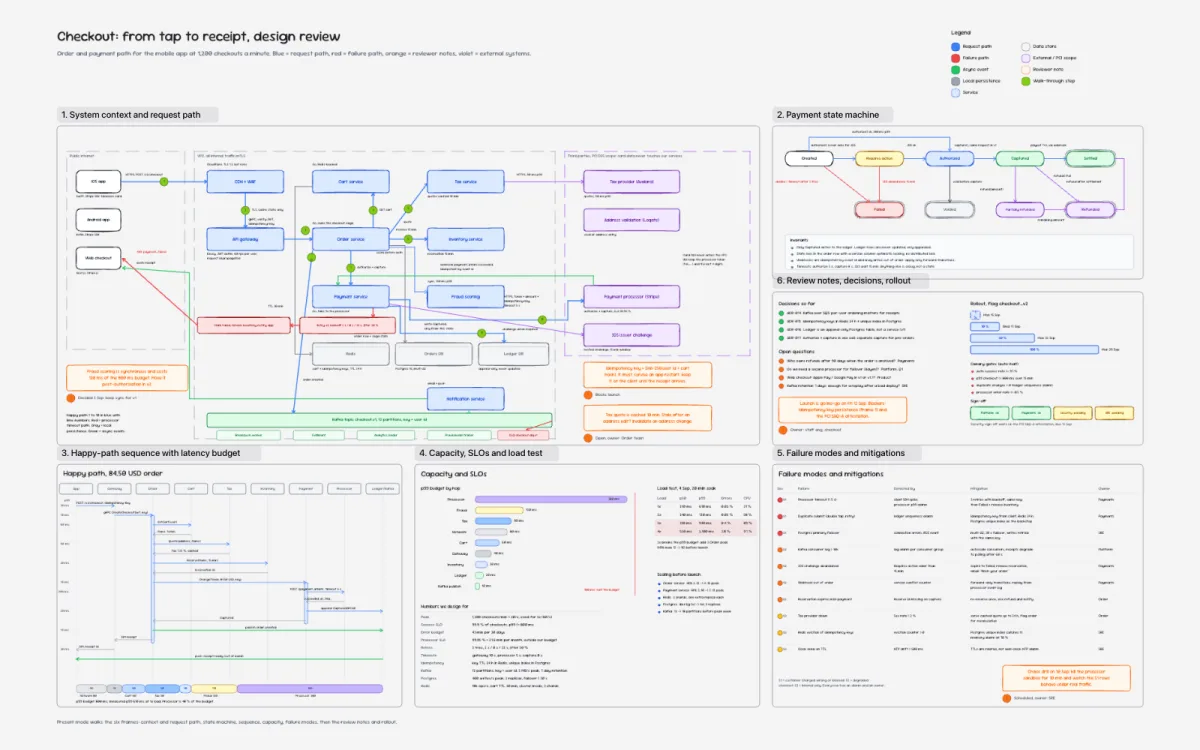
For backend engineers
Checkout design review
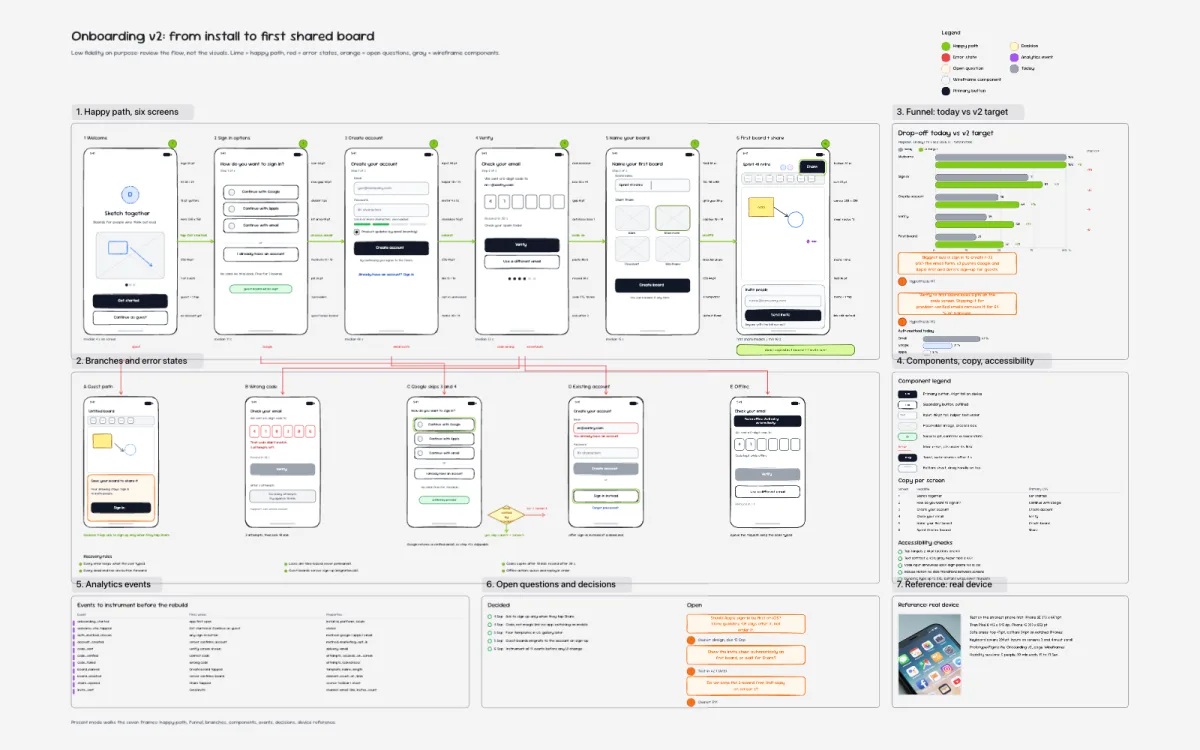
For product designers
Onboarding wireframes
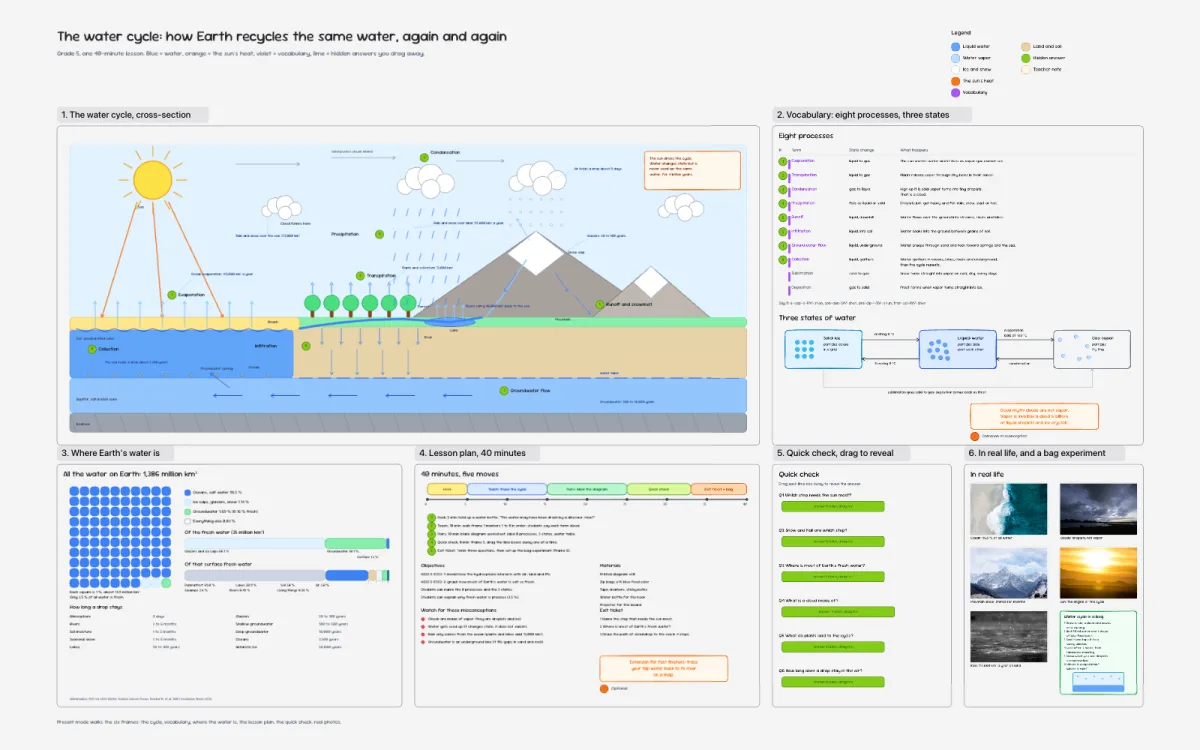
For grade 5 teachers
The water cycle
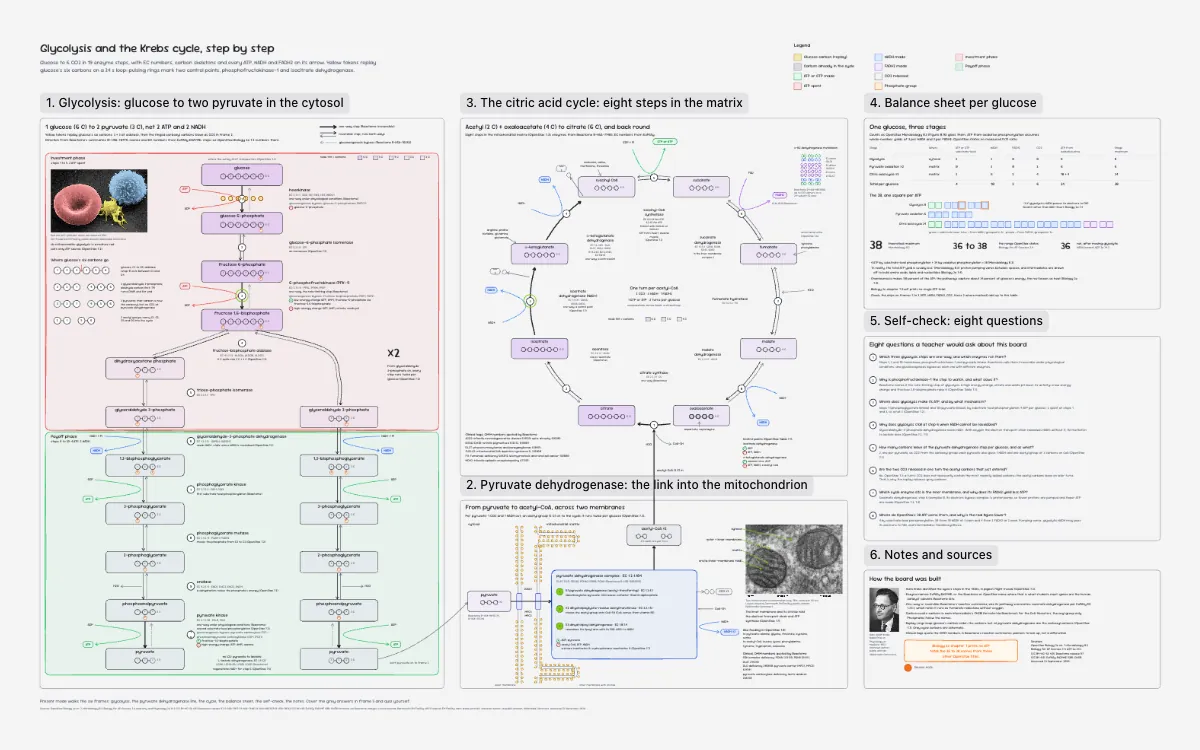
For biology teachers
Glycolysis, Krebs cycle
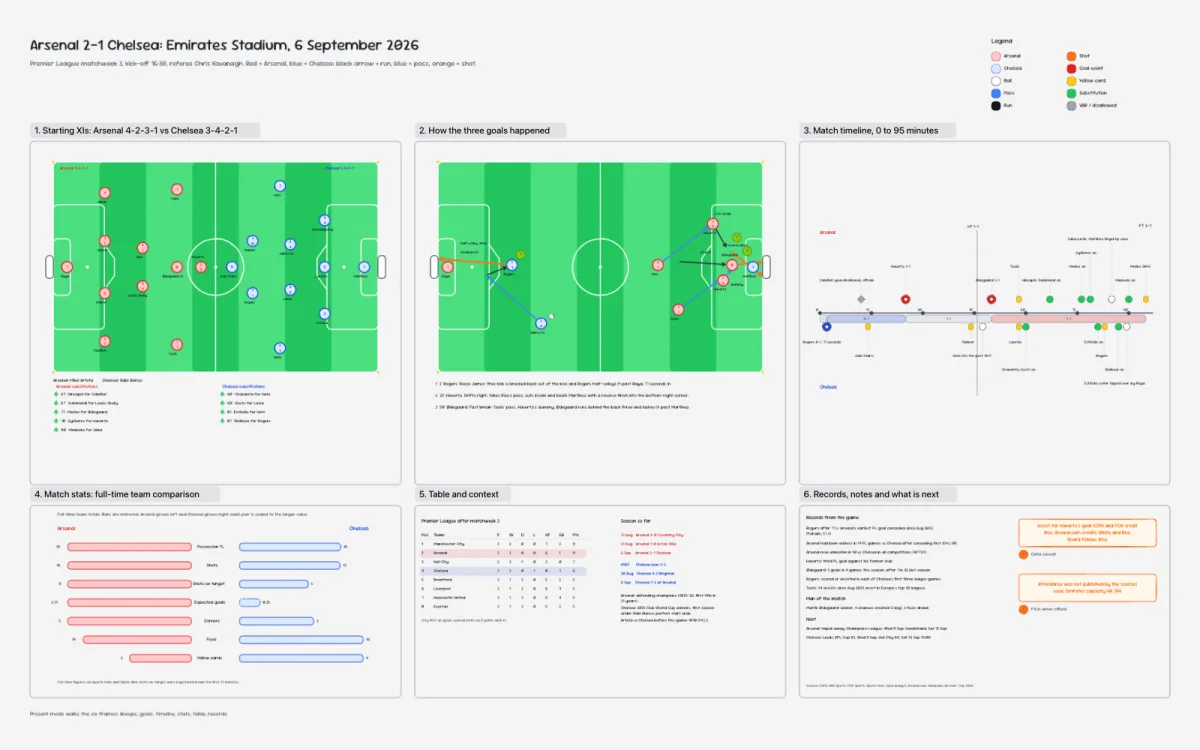
For football analysts
Arsenal 2-1 Chelsea
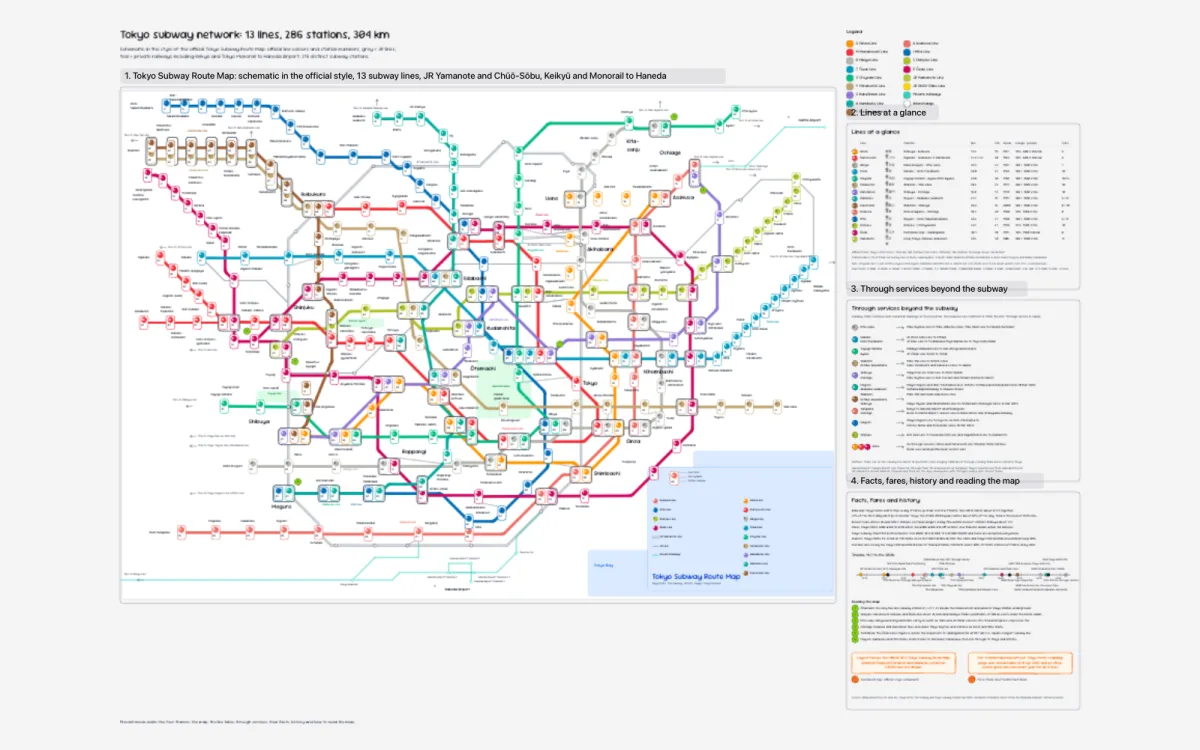
For transit planners
Tokyo transit map
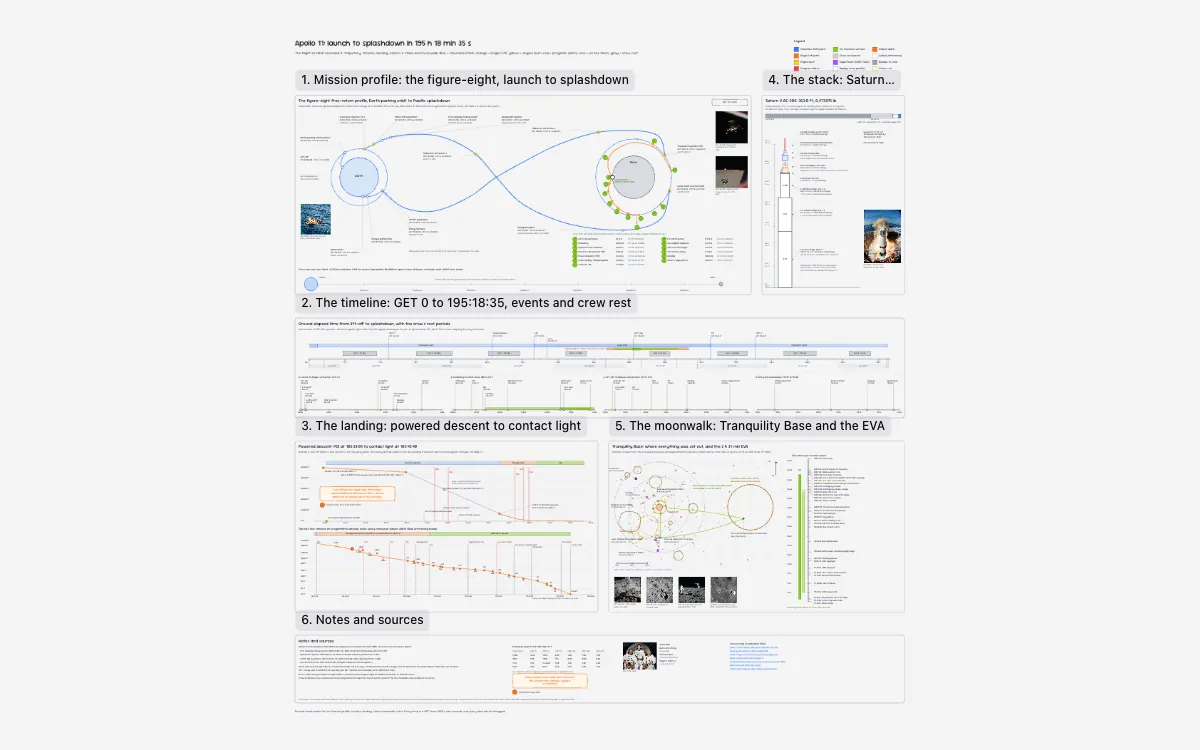
For spaceflight historians
Apollo 11 mission record
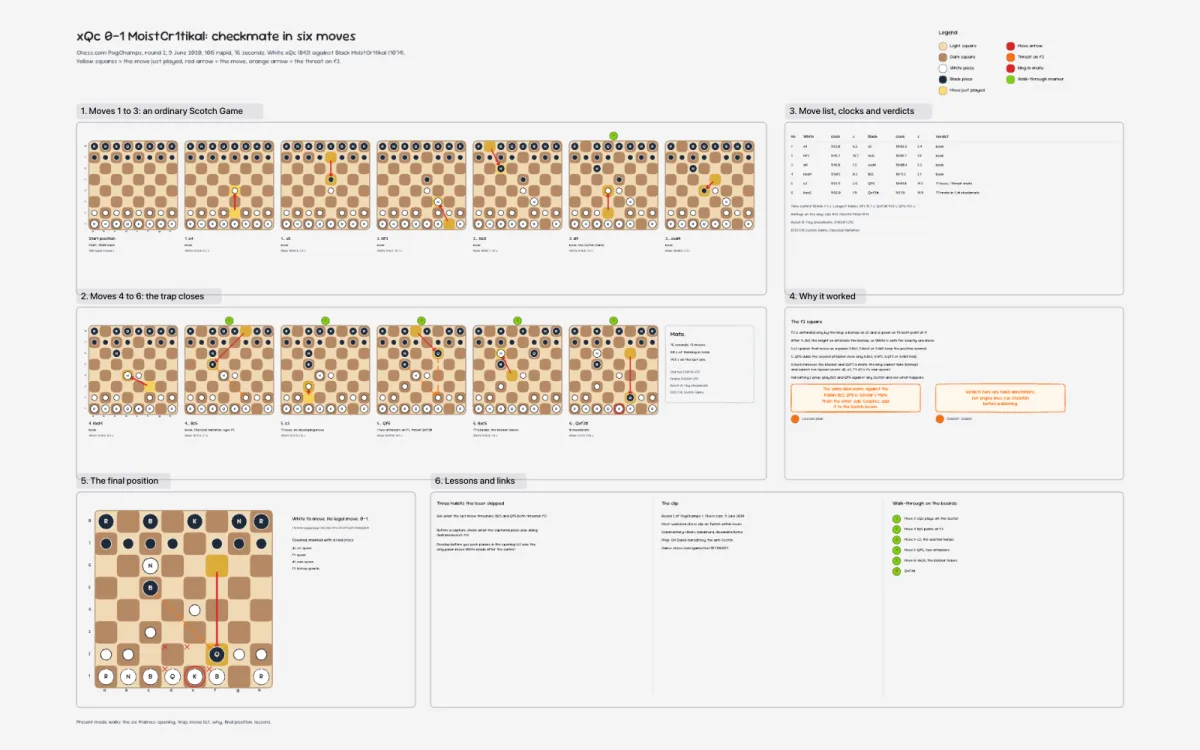
For chess coaches
Checkmate in six
The obvious question
The plus plan’s features. Without the plus+
Presentation mode, view-only links, cloud boards, your AI on your boards: all behind Excalidraw Plus, all free in Drawdy today. Boards on your device are unlimited; the free plan includes three cloud boards, and Pro lifts that cap. The rows we care about most come first: your own AI drawing on your boards over MCP, and extensions that run on the board. Speed is the other thing we build for, but it belongs in prose rather than a tick: the canvas indexes elements spatially, so selection and erase stay quick on a busy board, and it diffs by reference so undo and redraw touch only what changed.

Drawdy is free to start and free to keep using, and the free tier does not expire. Boards on your device are unlimited; the free plan includes three cloud boards for syncing and sharing, and Pro lifts that cap. The ticks above describe where each tool stands on — not a promise about which individual features stay free. The Excalidraw column is the free app; Paid marks what needs Excalidraw Plus. tldraw’s plugin draws on saved boards from ChatGPT and Codex, and its MCP app for other AI apps draws inside the chat window, as Excalidraw’s free one does; Excalidraw Plus adds one that edits workspace scenes. Drawdy works with any MCP app. Presentation mode ships as an extension, the extension marketplace adds more, and its extension API is open for building your own. Competitor rows come from each vendor’s own pages.
Want the long version? Drawdy vs Excalidraw, Drawdy vs tldraw, Drawdy vs Miro, Drawdy vs draw.io, Drawdy vs Apple Freeform, or the wider field of Excalidraw alternatives.
Simple pricing
Free forever.
Pro when you outgrow it.
Unlimited boards on your device and three cloud boards, free, with no card. Pro is $6.99 a month or $69.99 a year and starts with one month free. Your AI works on cloud boards: three free, unlimited on Pro.
FAQ
Good questions
Does Drawdy have built-in AI?+
No. Drawdy connects to the AI you already use, such as Claude, ChatGPT, Codex or VS Code, through its MCP server. Your AI reads and draws on your cloud boards while your team works on them, and it runs on your own AI subscription.
Can my AI build an extension?+
Yes, with a coding agent such as Claude Code or Codex. Give it the extension docs: it writes the extension in a public GitHub repository and can add it to your boards as a private extension, which needs no review. Public extensions are reviewed before they appear in the marketplace.
Is Drawdy free?+
Yes. You can start without an account and keep working without paying: boards on your device are unlimited, and the free plan includes three cloud boards for syncing and sharing. Pro lifts that to unlimited cloud boards and starts with one month free. The free tier itself does not expire.
Do I need an account to start drawing?+
No. Open Drawdy and the canvas is there — no signup, no email. An account matters once you want a board synced to the cloud or shared with a team.
How is it different from Excalidraw?+
We love Excalidraw. Drawdy is built for people and AI on one board: your own AI can draw on your cloud boards over MCP on the free plan, where Excalidraw's MCP for saved scenes needs Excalidraw+, and extensions run right on the canvas. The free tier also includes version history and three cloud boards, where Excalidraw keeps cloud storage entirely for its paid Plus tier.
Does Drawdy work offline?+
Yes. Drawdy is local-first: boards live on your device, so drawing keeps working with no network at all. Cloud sync is optional, per board.
Where is my work stored?+
On your device unless you choose cloud. A board leaves your machine only when you turn on cloud sync for it, which is what lets you reach it from another device or collaborate, or share it as an encrypted snapshot link.
Are Drawdy share links private?+
Snapshot links are end-to-end encrypted. The board is encrypted in your browser with AES-GCM, and the key rides in the link's fragment — the part browsers never send to a server. Anyone holding the full link can open the board, so treat it like a password.
Can I collaborate in real time?+
Yes. Share a board and everyone edits the same canvas at once, with live cursors. Guests can join from the link without making an account.
Can I export my work?+
Export to SVG, PNG, or Drawdy's open .drawdy JSON format at any time. Your canvases are yours — copy them out whenever you want.
Can I move my Excalidraw drawings into Drawdy?+
Yes. Select elements in Excalidraw, copy them, and paste straight onto a Drawdy board — shapes, text, and arrows arrive as editable objects. You can also import a saved .excalidraw file from the board menu.
Does Drawdy stay fast when a board gets big?+
That is the part we build for hardest. Elements are indexed spatially, so selecting, erasing, and hit-testing stay quick no matter how much is on the board rather than getting slower with every shape. History and redraw work off reference-equality diffs, so undo touches only what actually changed, and live cursors are throttled so collaboration never floods the document. Freehand strokes move as a six-number matrix instead of rewriting every point. A single board holds up to 10,000 elements.
Can I build on top of Drawdy?+
Yes. The canvas runs an extension host, and Drawdy's own features ship as extensions too: presentation mode is itself an extension, and the marketplace at drawdy.io/extensions adds more, such as Serene, which plays your drawing back as music, and Pexels Photos and Klipy for stock photos and GIFs. The marketplace's extension API is open for building and sharing your own, so a plugin you write runs on exactly the same footing as ours.
The canvas is open
Start your first board together
Connect your AI, bring your team, or just start drawing. The canvas opens with no signup.
Start drawing now