
Datestamp
Stamp a status and a date on anything on your board, and change either with a click.

Datestamp for Drawdy
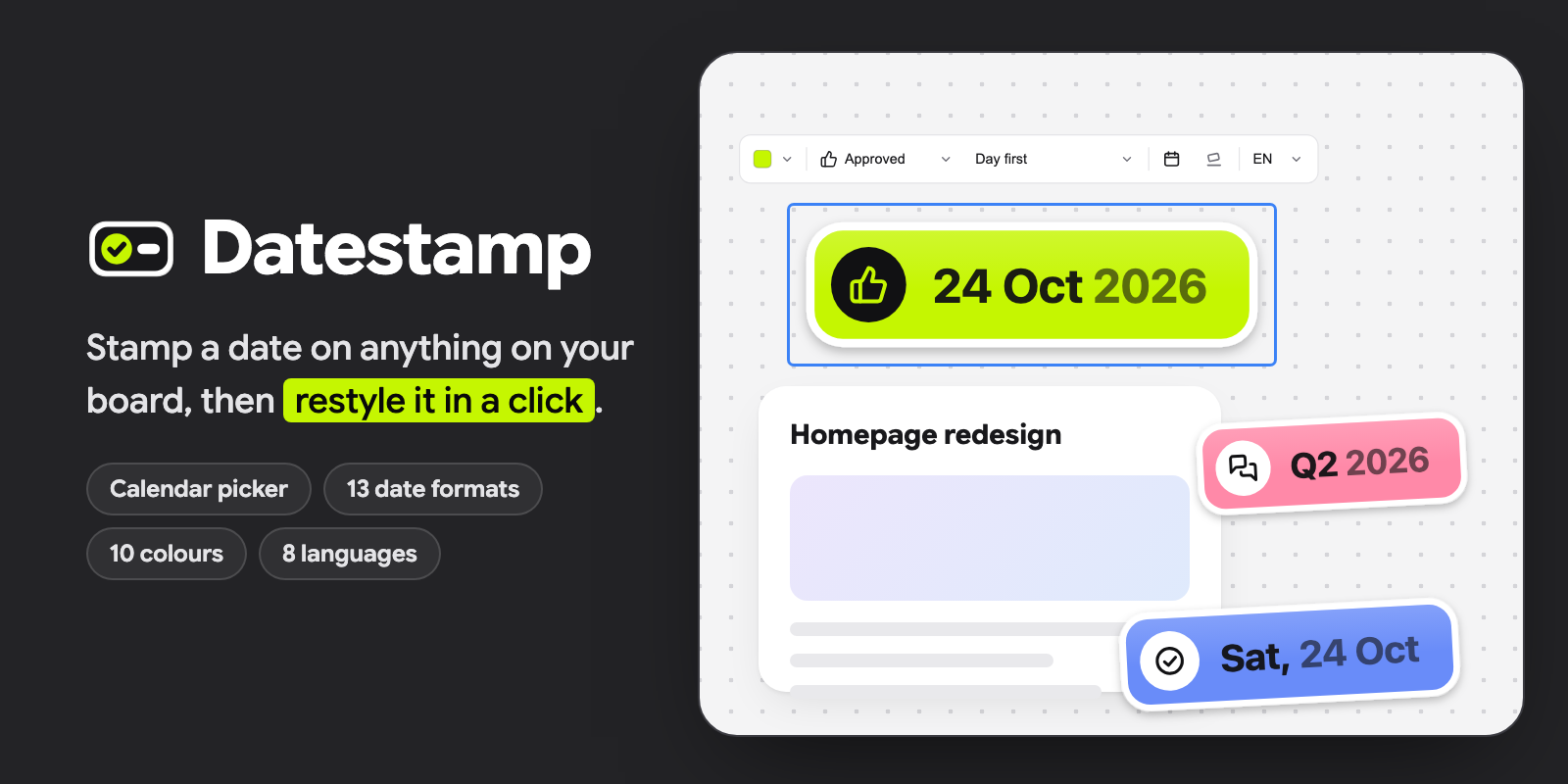
Stamp anything on your board with a date and a status icon: 👍 24 Oct 2026. A stamp starts on today's date, and you can change its date, status, colour, format or language in a click.
What you get
- Stamps like stickers in a white rim: the status's icon in a disc, and the date beside it, its first words in full and the rest softer. Straight, or leaning a little. They read the same on a light or a dark board.
- Six statuses, each with its own icon: Updated, Approved, Done, In review, Draft and Rejected.
- Ten colours: Drawdy's eight inks (Neutral, Lime, Orange, Blue, Teal, Purple, Pink and Red), plus a Gold with a metallic rim and a Rainbow.
- Thirteen ways to write the date, in three groups: dates such as
24 Oct 2026, numbers such as24/10/2026, and periods such asOctoberorQ4 2026. In English, Thai, Japanese, Chinese, Korean, Spanish, French or German. - A bar above a selected stamp to restyle it, and a panel with the same settings and a month calendar for the date.
- Each stamp is one image, so it moves and resizes as one.
How to use
1. Add a stamp
Click the Datestamp icon. Pick a day on the calendar, or Today, Tomorrow or In a week, and click Add stamp (or press ⌘↵). It lands in the middle of your view, selected, in the look you gave your last stamp.
2. Style a stamp
Select a stamp and a bar appears above it:
| You click | What happens |
|---|---|
| The colour | Lists the colours to pick from |
| The status | Lists the statuses |
| The format | Lists the formats, each with an example |
| The calendar | Opens the panel to pick another day |
| The tilt | Leans the stamp, or straightens it |
| The language | Lists the languages to write the date in |
The panel has the same bar above its calendar, so every setting is there too. With a stamp selected, the panel changes that stamp; with none, it sets up the next new one. Select several stamps to change them all at once.
Good to know
- The date is the day on your device's clock when you stamp it. It doesn't move on by itself the next day. Click Today to bring it up to date.
- A change redraws the stamp at its top-left corner and keeps the size you resized it to. It takes two presses of undo to take back.
- Each device writes the stamp in its own system font, so its lettering can look a touch different on another computer. The stamp keeps its size.
- Stamps from 0.1.0 become the new kind the first time you change them.
- Nothing leaves your board: Datestamp doesn't load or send anything.