
Doodle Icons
Icons that look drawn on the whiteboard. Search about a thousand hand-drawn doodles (ideas, people, money, chats, devices), then drag one onto the board or click to add it in view, where more clicks line up in a row. Pencil draws in one colour; Two-tone keeps ink lines and adds a highlight in any colour you pick. Add a name label if you like. Made for sketchnotes, workshops, lessons and presentations.

Doodle Icons ✎(`・ω・´)
icons that look drawn on the whiteboard.
About a thousand hand-drawn doodles: ideas, people, money, chats, devices and more. Drag one next to your notes and the board reads at a glance, no clip art in sight ✧
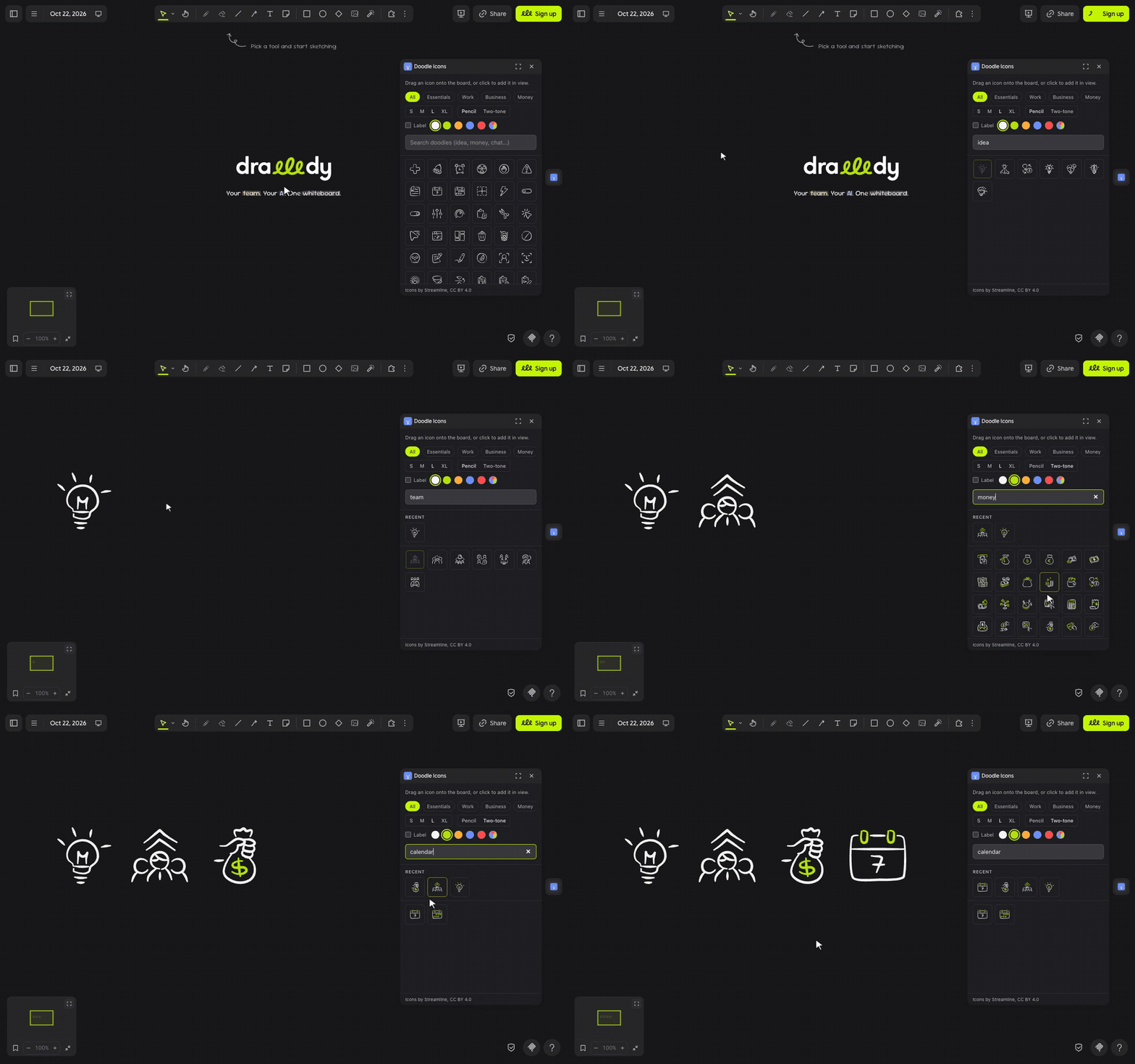
let's doodle ٩(◕‿◕)۶
- Click the light bulb in the extension rail.
- Type what you need, like idea, money or chat, or pick a topic: Essentials, Work, Business, Money, Messages and more. Press
/to jump to search. - Drag a doodle onto the board. Or click it to add it in the middle of your view; more clicks line up in a row.
- Press Enter in the search box to add the top result.
(・_・;) doodles still loading? They download as you scroll, so give a slow connection a second.
make it yours (。•̀ᴗ-)✧
- Pencil or Two-tone: one colour, or ink lines with a highlight in your colour.
- Colour: ink, four Drawdy colours, or any colour you pick.
- Size: S, M, L or XL.
- Label: add the doodle's name underneath, grouped so they move together.
little things to try (っ˘ω˘ς )
- Sketchnote a meeting: a doodle beside every idea, then circle the winners.
- A workshop agenda with a clock, a team and a trophy for each block.
- Two-tone + lime for the things that matter, Pencil for everything else.
- Your last 12 doodles wait in Recent for the next board.
the small print: doodles download from the Iconify API as you scroll; nothing you draw or type leaves your board. Your recent doodles and options stay in this browser. Icons from Streamline's Freehand set (CC BY 4.0). Code MIT; building it yourself? See DEVELOPMENT.md.