
Peek Notes
Keep the board tidy, keep the details. Select any box and write the long version and its sources in the panel, and a bookmark peeks over its edge. Click the bookmark or the box to open the note beside it, and close it to get your clean board back. Notes are saved with the board, so teammates with Peek Notes see them too. Made for workflows, research maps, lesson plans and study boards.

Peek Notes |ω・)ノ
keep the board tidy, keep the details.
Peek Notes tucks the long version inside any box, so your board shows only the headlines. A little bookmark peeks over the box's edge, and one click opens the details and sources right beside it ♡
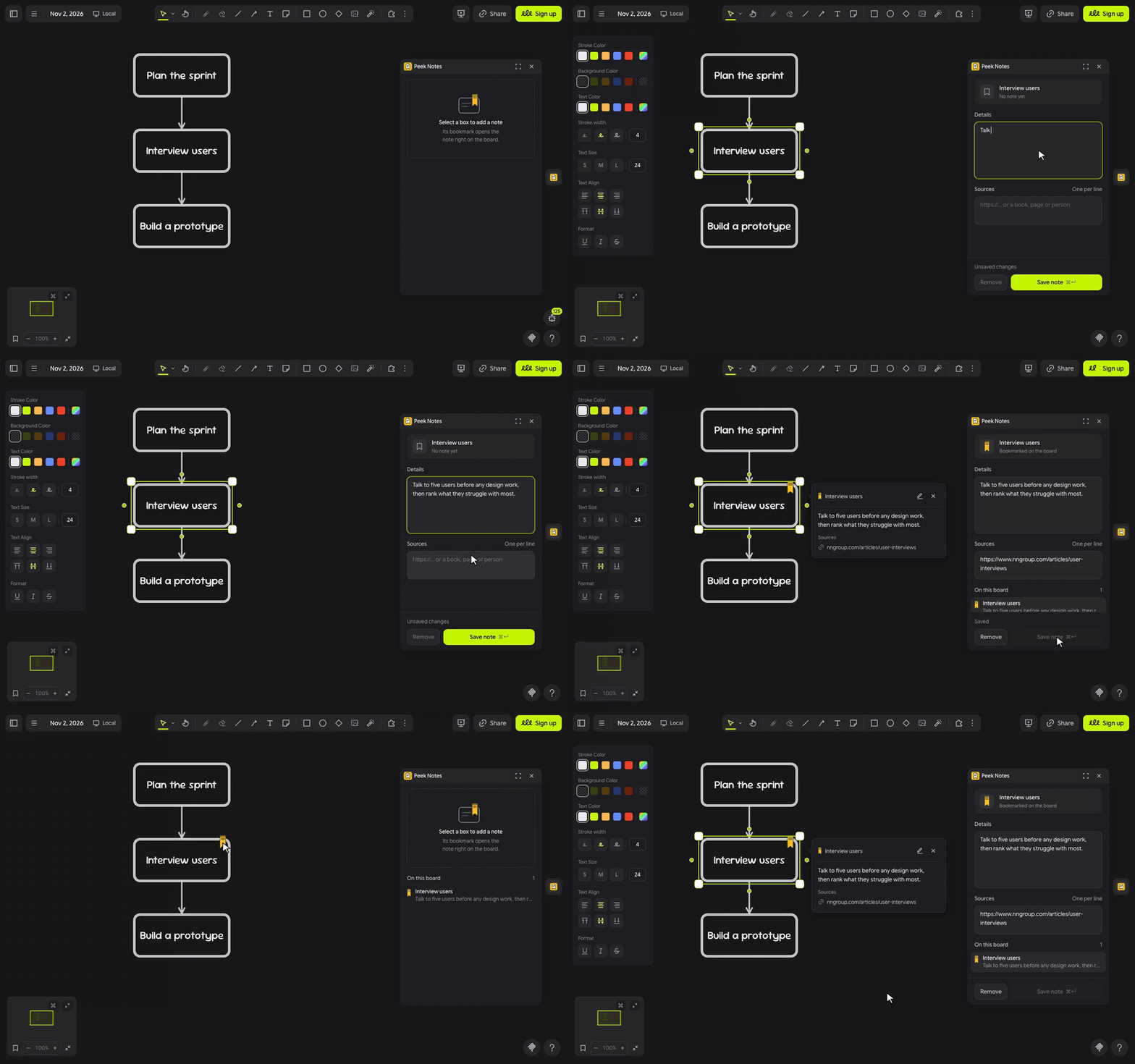
let's tuck ٩(◕‿◕)۶
- Click the bookmark in the extension rail.
- Select a box, shape, sticky note or frame, then write the long version under Details and your links, books or people under Sources, one per line.
- Click Save note, or press
⌘ Enter. A bookmark peeks over the box's top edge. - Click the bookmark, or select the box, to open the note beside it. Click away or press × to tuck it away again.
(・_・;) a teammate can't see the bookmarks? Notes are saved with the board, but the bookmarks and notes only show for people who have Peek Notes installed.
make it yours (。•̀ᴗ-)✧
- Sources: links show as tidy addresses like nngroup.com/articles, and books or people get a line of their own.
- Edit: the pencil on an open note takes you straight to it in the panel.
- On this board: every note in one list; click one to fly to its box.
- Long notes: the board shows the first 14 lines and the panel holds the rest, up to 4,000 characters.
little things to try (っ˘ω˘ς )
- A workflow where every step keeps its checklist tucked inside.
- A research map with the quote and the link behind each finding.
- Lesson cards that hide the teacher's notes until class.
- A study board in Thai or English: long notes wrap neatly in both.
the small print: the panel loads its font from jsDelivr and fetches nothing else; nothing you draw or type leaves your board. Notes are saved inside the board, on the box they belong to, so everyone who can open the board has them; links in a note are shown as text and never opened or fetched. The logo and bookmark were drawn for Peek Notes. Code MIT; building it yourself? See DEVELOPMENT.md.