
Pixel Art Studio
Retro sprites, right on your board. Paint on a 16 to 64 pixel grid with Pencil, Fill, Line and Mirror, pick colours from the PICO-8, Game Boy or NES palette or mix 16 of your own, then click Place on board for a crisp sprite with a transparent background. Switch palettes and every pixel moves to the nearest colour. Select it later to keep drawing. Made for game jams, retros, lessons and sticker-happy boards.

Pixel Art Studio (⌐■_■)
retro sprites, right on your board.
A pixel grid with PICO-8, Game Boy and NES colours that drops your art on the board as a crisp sprite, sharp at any zoom. Sketch a game jam hero, a sticker for your notes or a tiny avatar for every teammate ✧
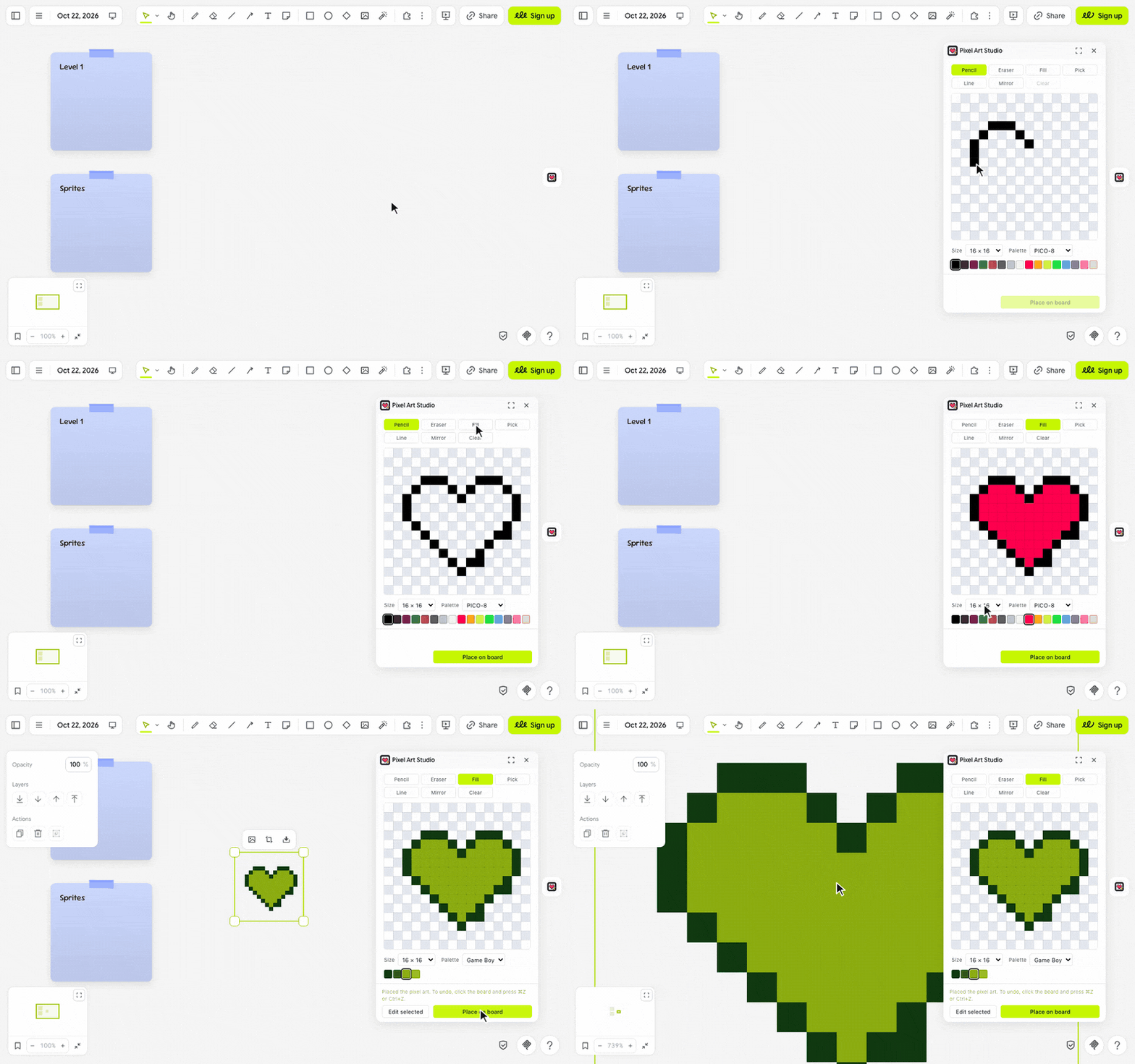
let's paint ٩(◕‿◕)۶
- Click the pixel heart in the extension rail.
- Click a colour in the swatches and paint with Pencil, Fill or Line. Pick grabs a colour from the grid and Eraser tidies up.
- Click Place on board. Your sprite lands in view, next to anything already there, with a transparent background.
- To change it later, select it, click Edit selected, paint, then click Update.
(・_・;) ⌘Z undid my pixels, not the board? In the panel, ⌘Z and Ctrl+Z undo the grid; click the board first to undo there.
make it yours (。•̀ᴗ-)✧
- Palette: PICO-8, Game Boy, NES or Custom. Switching moves every pixel to the nearest colour, and ⌘Z brings the old ones back.
- Size: 16 × 16 up to 64 × 64, keeping the top-left corner in place.
- Mirror: Pencil, Eraser and Line paint both halves at once, for faces and spaceships.
- Colour: with Custom, set any of the 16 swatches to the colour you want.
- Clear: start over in one click, and ⌘Z if you didn't mean it.
little things to try (っ˘ω˘ς )
- A 16 × 16 hero and a slime on a game jam pitch board.
- A pixel avatar for every teammate on your sprint retro.
- Draw in PICO-8, then switch to Game Boy for an instant four-green remix.
- Mirror and Line for a symmetric spaceship in under a minute.
the small print: the panel downloads nothing; nothing you draw leaves your board. Your size, palette and custom colours stay in this browser. PICO-8 palette by Lexaloffle, NES palette from Lospec, Game Boy palette from the original screen's four greens. PICO-8, Game Boy and NES are trademarks of their owners, and this extension is not affiliated with them. Code MIT; building it yourself? See DEVELOPMENT.md.