
Sticky Kit
Paste a list, get a wall of stickies. Drop in lines, bullets or spreadsheet rows, pick which columns hold the text, colour and author, preview the grid, then place it in view or in the selected frame. Click to tidy a selection into a grid, sort it, group it by colour or keyword, even out sizes or recolour it. Copy it back out as Markdown, CSV, JSON or plain lines. Made for workshops, retros, research and classrooms.

Sticky Kit φ(゜▽゜*)♪
a list in, a wall of stickies out.
Paste interview quotes, a bulleted list or a spreadsheet and get a tidy wall of colour-coded stickies in one go. Then sort them, group them by colour or by the words they share, and copy them back out when the session ends ✧
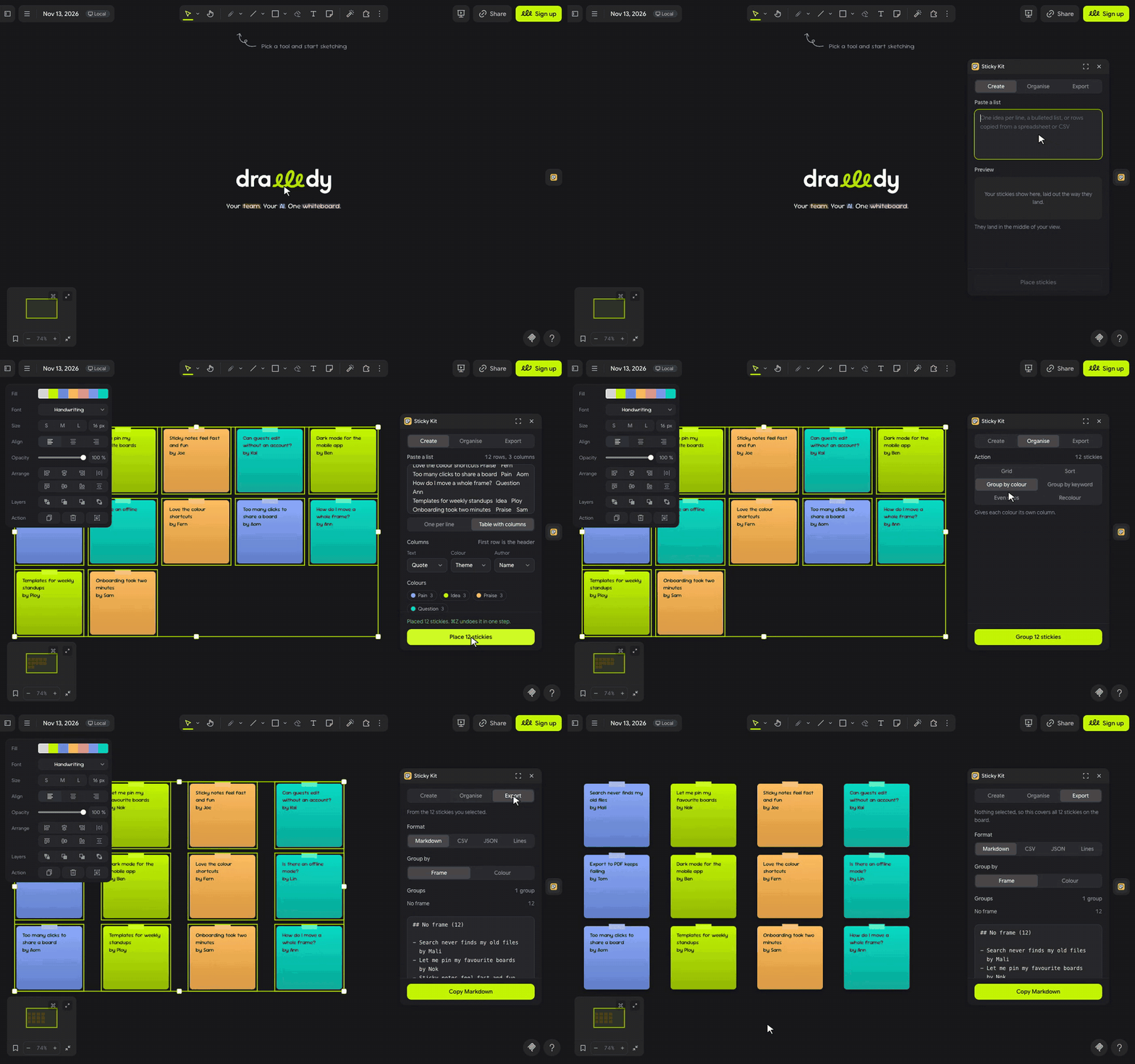
let's stick ٩(◕‿◕)۶
- Click the sticky note in the extension rail.
- Paste into Create: one idea per line, a bulleted list, or rows copied from Sheets, Excel or a CSV. For rows, pick the columns that hold the Text, the Colour and the Author.
- Check the preview and press Place. They land in the middle of your view, or inside the frame you selected.
- Select stickies, open Organise and pick Grid, Sort, Group by colour, Group by keyword, Even sizes or Recolour. Export copies them back out.
(・_・;) Organise has nothing to work on? Select the stickies on the board first, or select a frame to work on every sticky inside it.
make it yours (。•̀ᴗ-)✧
- Colour column: values like Bug or Idea each get a sticky colour, in order; values that already say pink or lime keep it.
- Author column: adds a second line, by Mali.
- Group by keyword: finds the words stickies share, in English or Thai, and puts a title over each group.
- Sort: by colour, by text (numbers in order, Thai and English) or by author.
- Export: Markdown, CSV, JSON or plain lines, grouped by frame or colour, with counts.
little things to try (っ˘ω˘ς )
- After a round of interviews, paste 30 quotes and press Group by keyword to see the themes before the debrief.
- Paste a Sheets export with a Theme column and get a colour-coded wall in one undo step.
- Close a retro with Export, Markdown, grouped by frame, and paste the summary into Slack.
- Export CSV from one board and paste it into another: same words, same colours.
the small print: the panel's font loads from jsDelivr; nothing you paste or write leaves your board, and keyword groups are worked out on your device. Sticky Kit remembers your last tab and options in Drawdy's storage for this extension. Code MIT; building it yourself? See DEVELOPMENT.md.